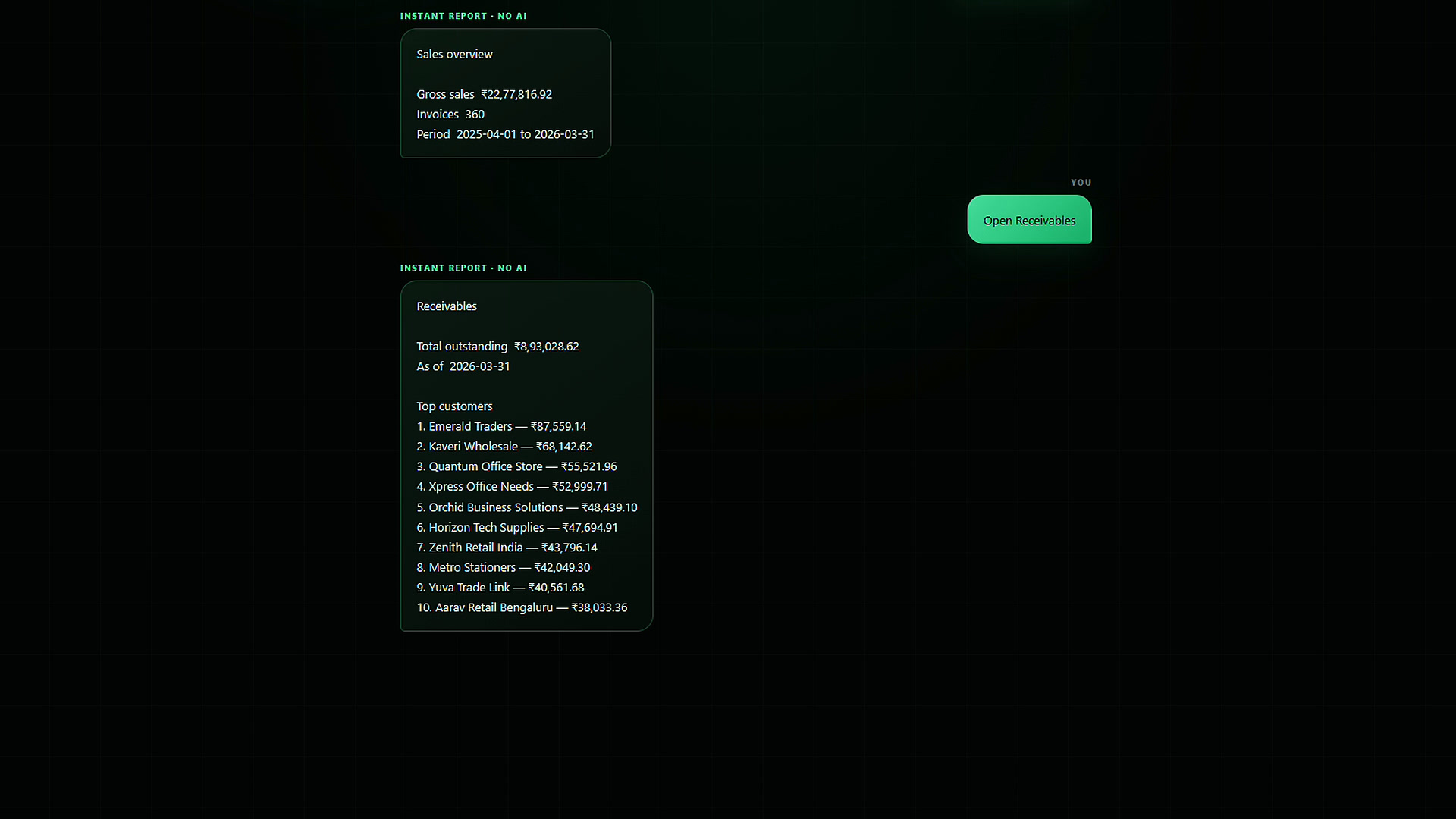
Rank receivables
See total outstanding and the customers that deserve attention first.
Nexus Connect is a secure Windows companion that turns live Tally data into instant reports and evidence-backed business recommendations. See sales, receivables, cash, inventory, GST and period comparisons in seconds—then ask plain-language questions that rank the actions that matter.
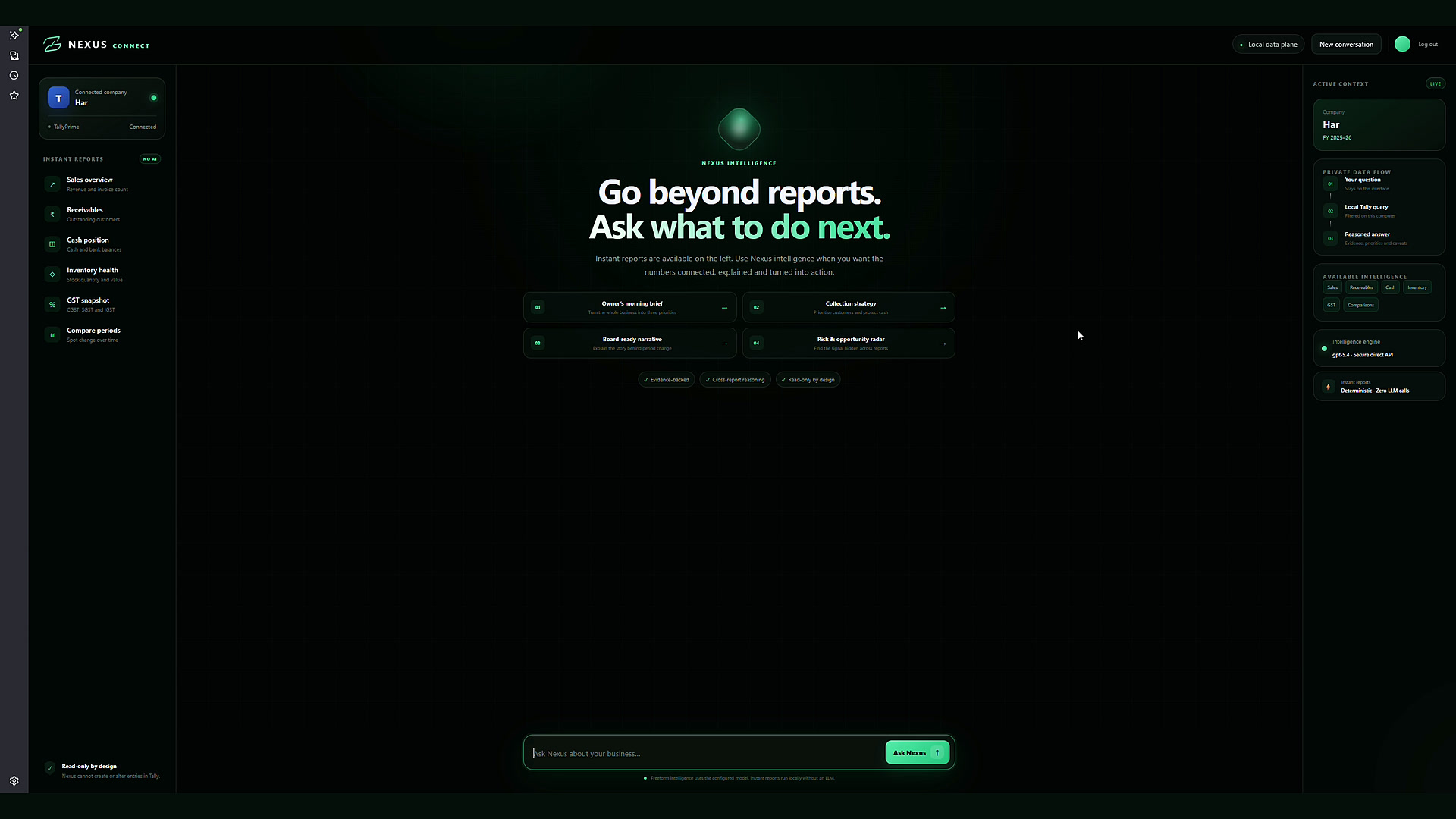
Open the reports owners and finance teams reach for most without navigating multiple Tally screens. Deterministic queries run locally for fast, consistent answers.

See total outstanding and the customers that deserve attention first.
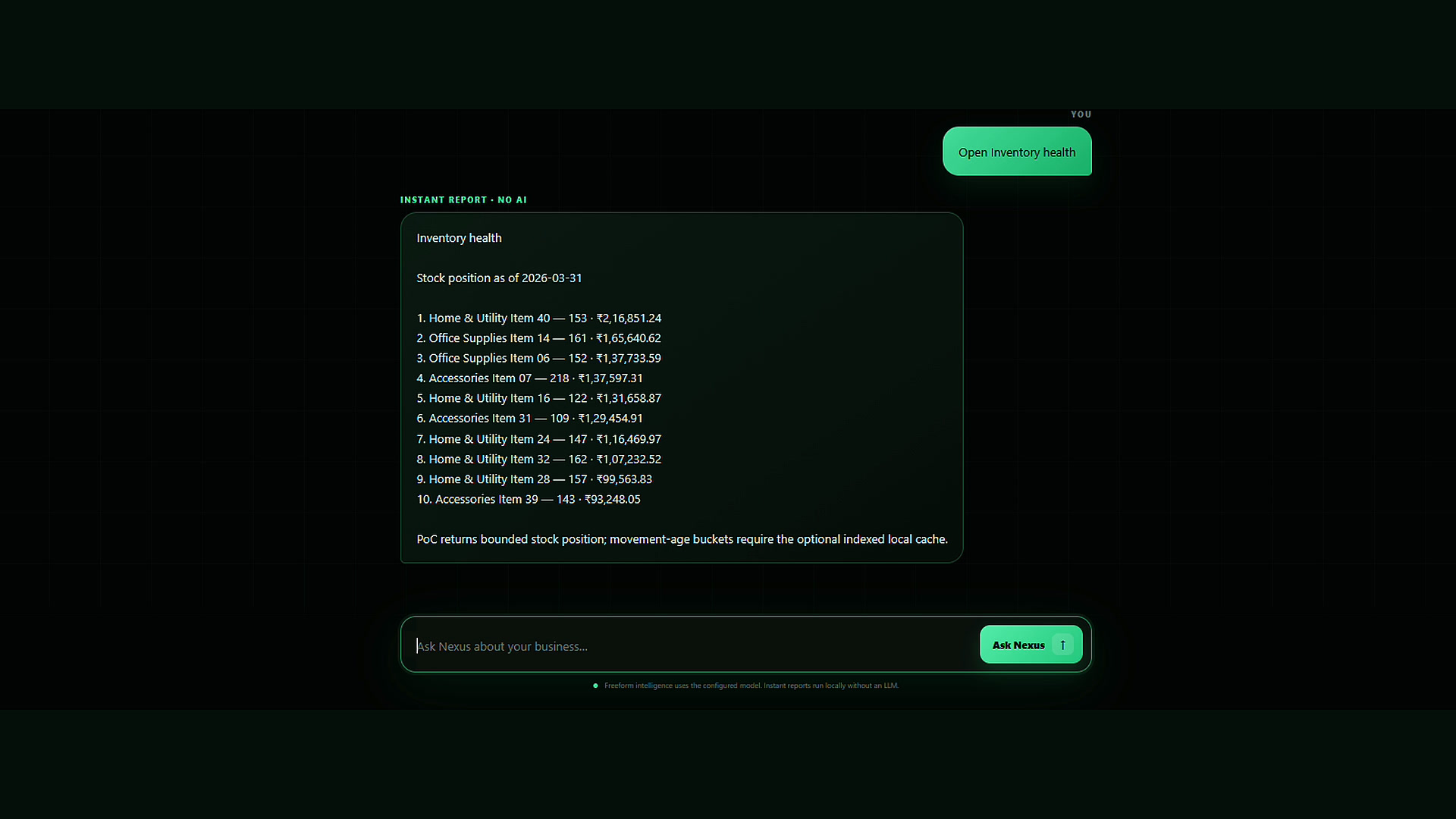
Understand stock quantity and value in a bounded, readable result.
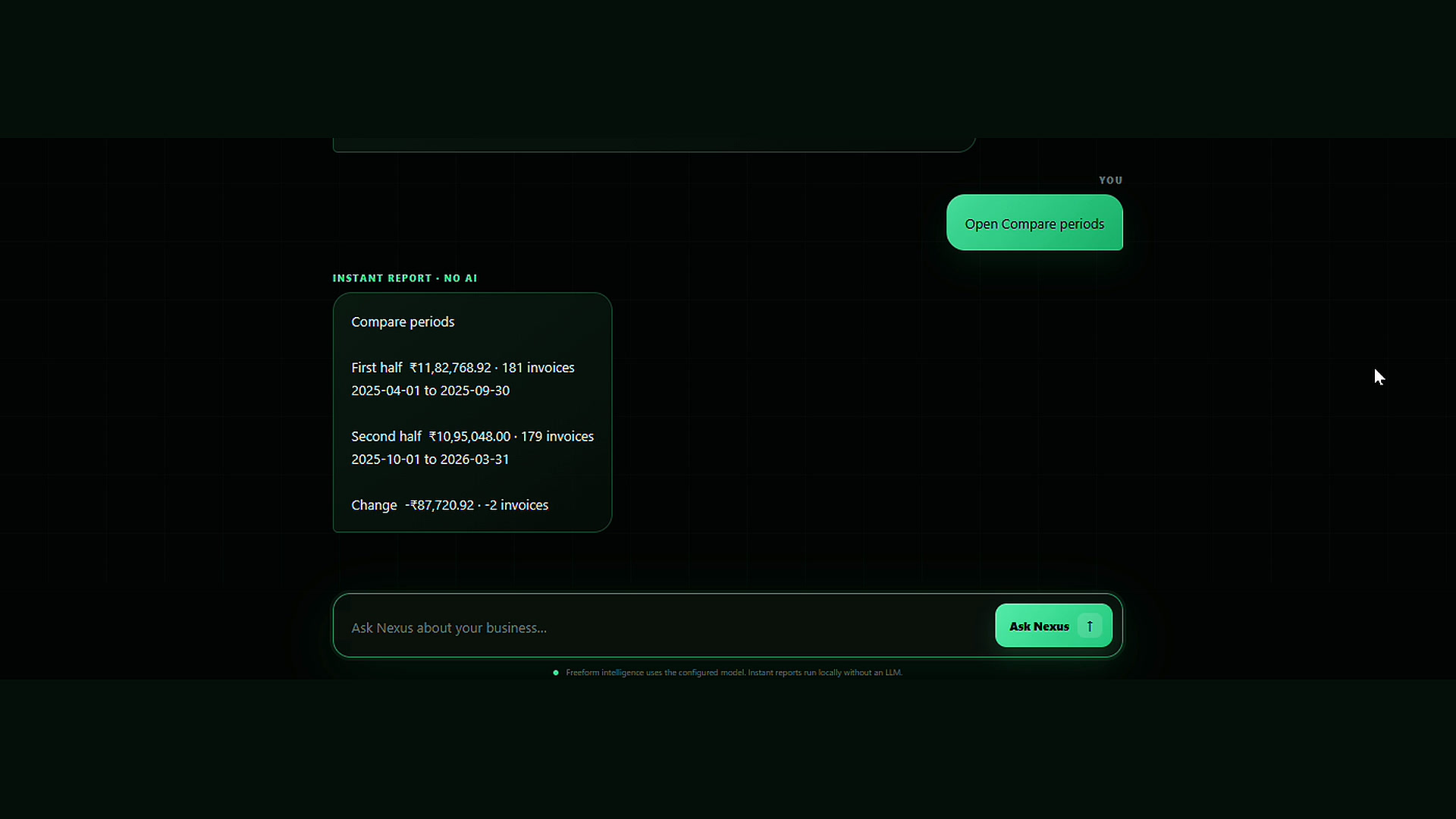
See movement in sales and invoice volumes without assembling a spreadsheet.
Ask a management question in plain language. Nexus Connect gathers only permitted report data and turns it into priorities, evidence, risks and practical next steps.
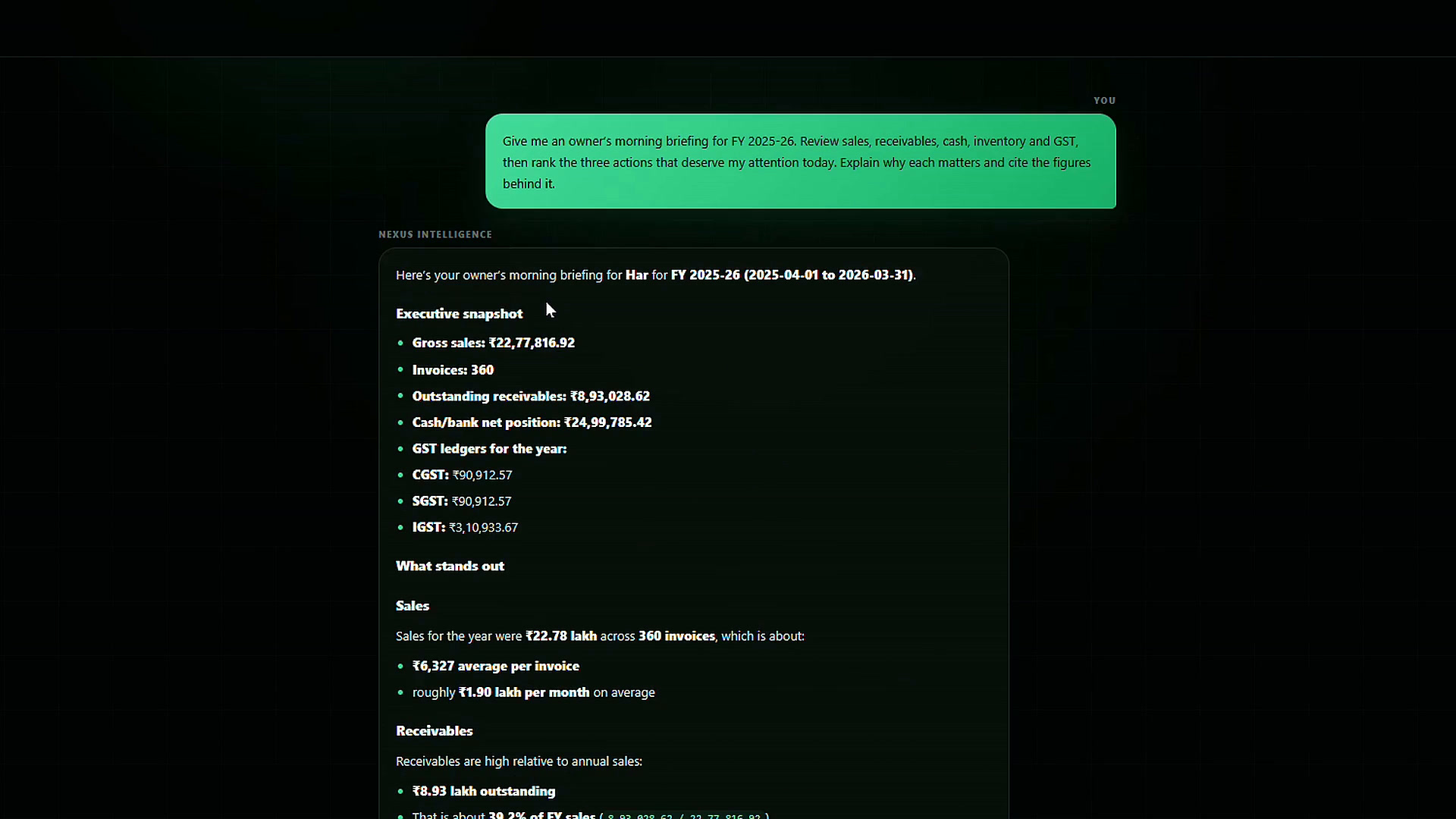
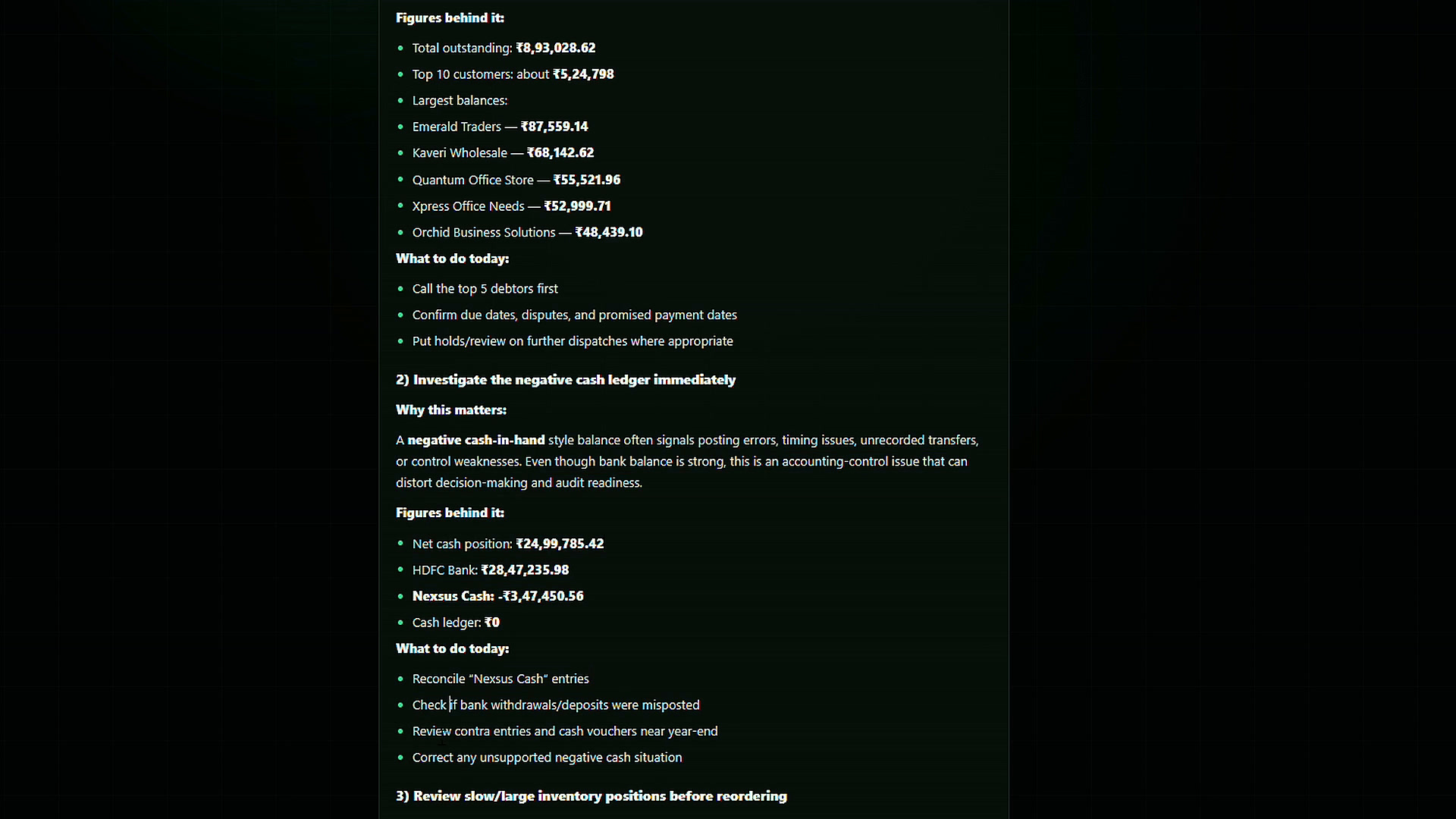
Tally traffic remains on the local computer. Nexus Connect exposes only bounded, read-only business tools, while company, date-range and row limits are enforced locally.
Nexus servers do not receive or store vouchers, ledgers or accounting report results.
Nexus Connect cannot create, edit or delete entries in Tally.
The model can use only predefined functions with locally enforced limits.
Sensitive fields are redacted, local secrets use Windows DPAPI, and AI requests use store: false.
Add Nexus Connect to the Windows computer running TallyPrime.
Connect one exact Tally company and configure your OpenAI API key.
Use local instant reports for routine sales, cash, GST and inventory answers.
Ask a management question and receive evidence, caveats and ranked next actions.
Watch the guided 1080p walkthrough of instant reporting and the Nexus intelligence workflow.
Current pilots require Windows 10 or 11, TallyPrime with local HTTP/XML access enabled, Node.js 22 or later and a customer-owned OpenAI API key for intelligence features.
Current stage: Nexus Connect is a pilot/PoC product. Code signing, Windows-service packaging, signed automatic updates and enterprise deployment controls are planned production-hardening steps.